ThinkWatch Lite · For individual developers
A local AI gateway for macOS, Windows and Linux
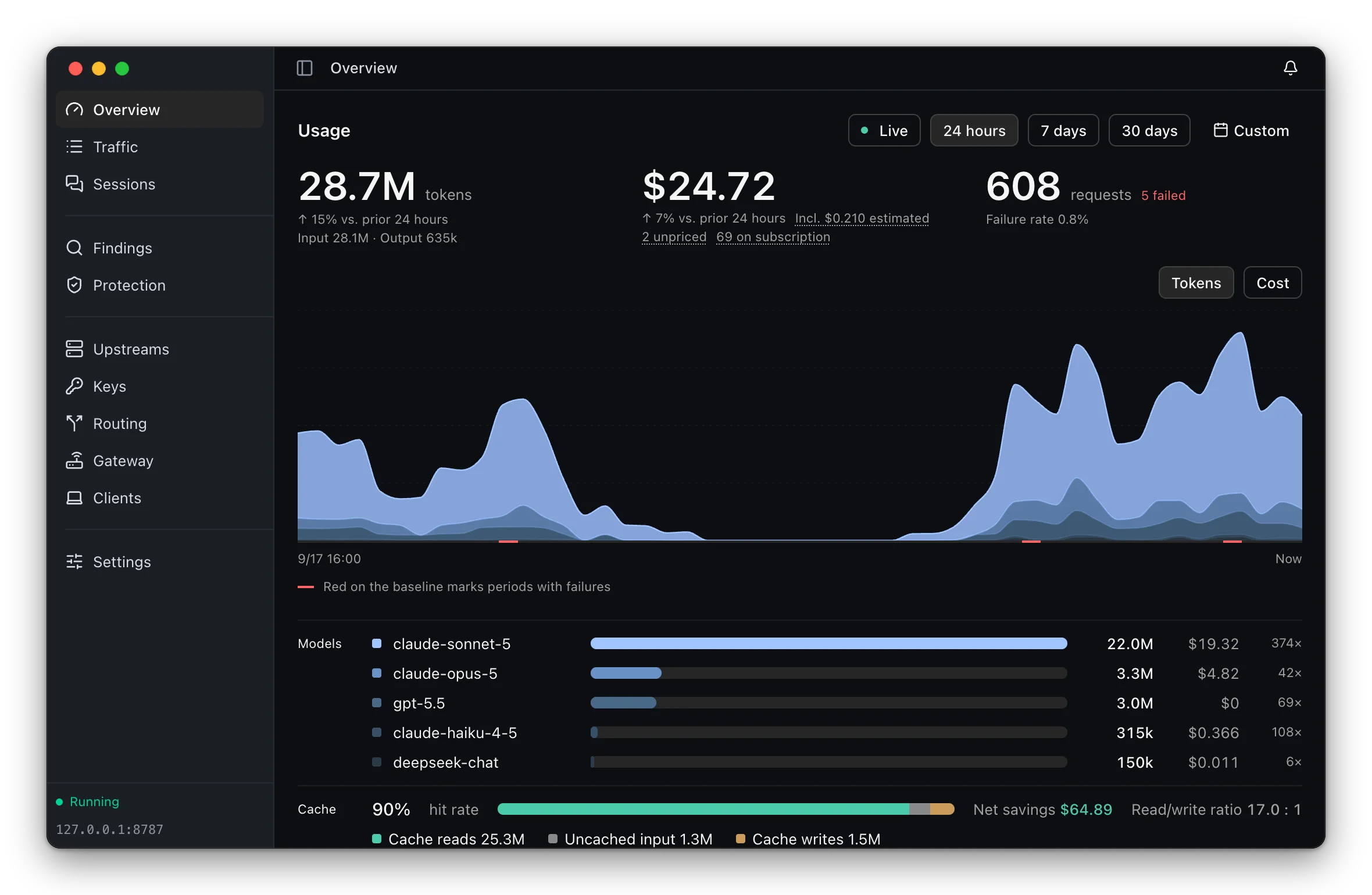
Claude Code, Codex CLI and other clients of the Anthropic, OpenAI and Gemini APIs send their requests to a gateway on your own machine, and Lite shows what each request cost, which upstream served it and why, and what was sent along with it.
macOS 12 or later on Apple Silicon, installed with Homebrew or a disk image. Windows 10 21H2 or later on x64 or ARM64, installed with an installer. Ubuntu 22.04, Debian 12, Fedora 36 or later on x86_64 or aarch64, as an AppImage. On every platform, the app updates itself.
What it shows
Usage and cost
Tokens, cost and requests over any period, broken down by model, with the cache hit rate, the net savings from caching and latency percentiles. Measured costs, estimated costs and unpriced requests stay separate and are never added together, and usage served by a subscription is counted apart from billed usage.
Routing and failover
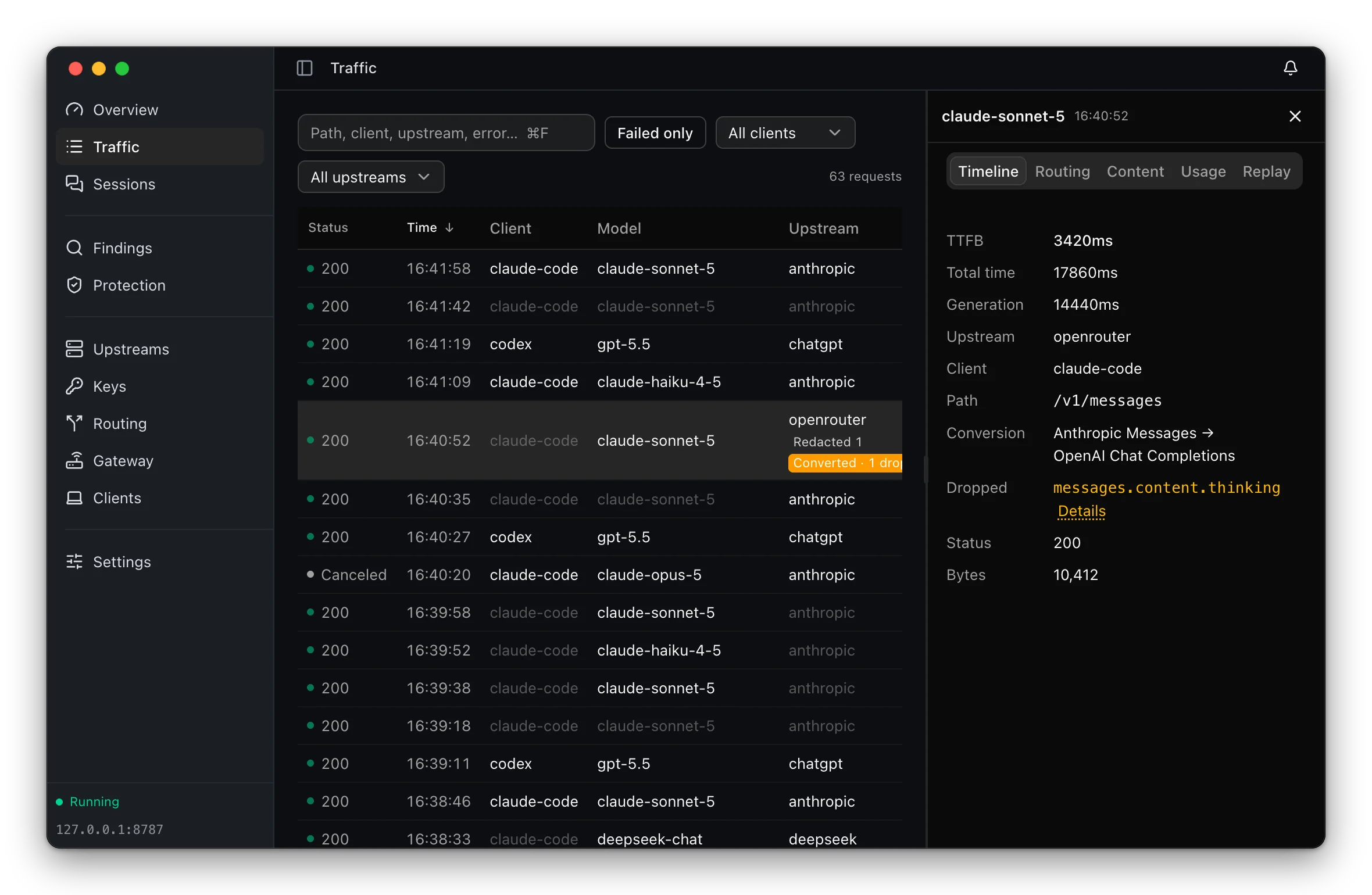
Every request records the rule it matched, the group it went through and each attempt with its status and duration. When a client and an upstream speak different API formats, the request is converted between Anthropic Messages, OpenAI Chat Completions, OpenAI Responses and Gemini, and the fields that could not be carried over are listed.
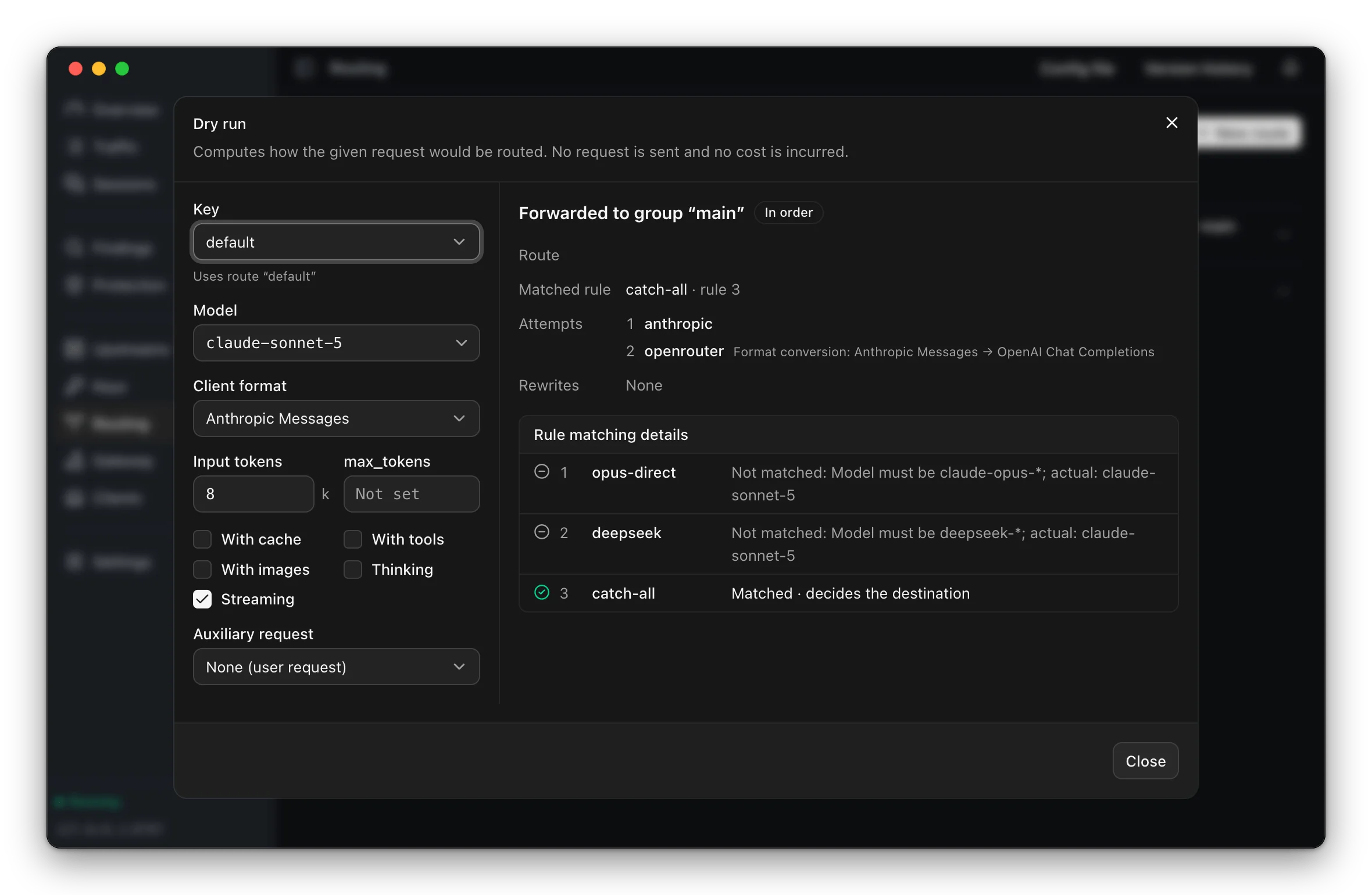
A dry run before the traffic
The dry run evaluates the rules for a given request and shows where it would go and why — which rules did not match and for what reason — without sending anything and without cost.
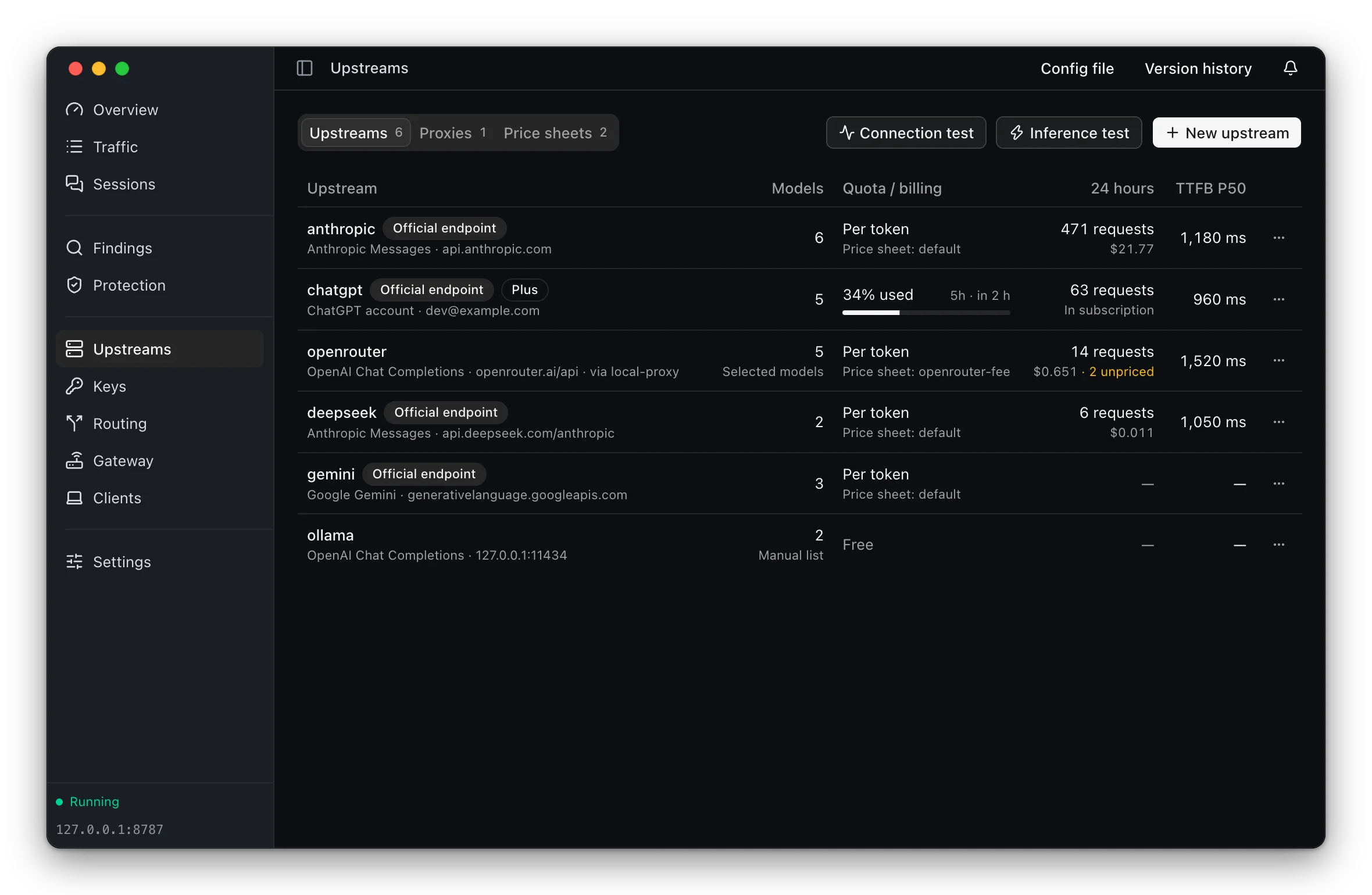
Upstreams of every kind
API keys, a ChatGPT account signed in from the app with its usage limits, relays such as OpenRouter, and local models. Upstreams can be reached through an outbound proxy and priced with a custom price sheet.
What leaves the machine
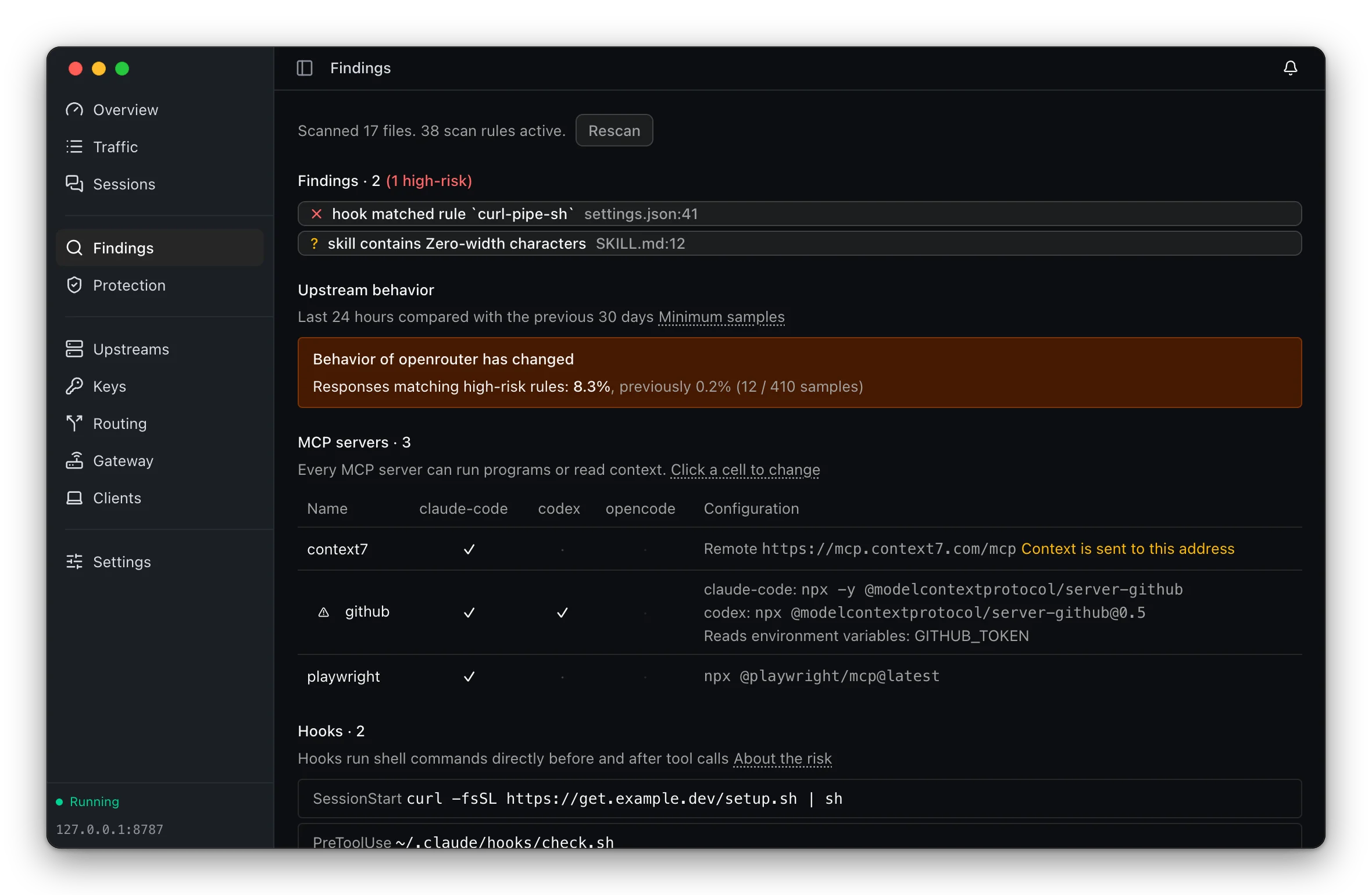
Secrets are replaced before a request reaches an untrusted upstream and restored in the response; tool calls that would grant code execution are cut off mid-stream; client configuration files are scanned for hidden characters and dangerous commands. Each defense runs in off, observe or enforce mode.
Clients in one click
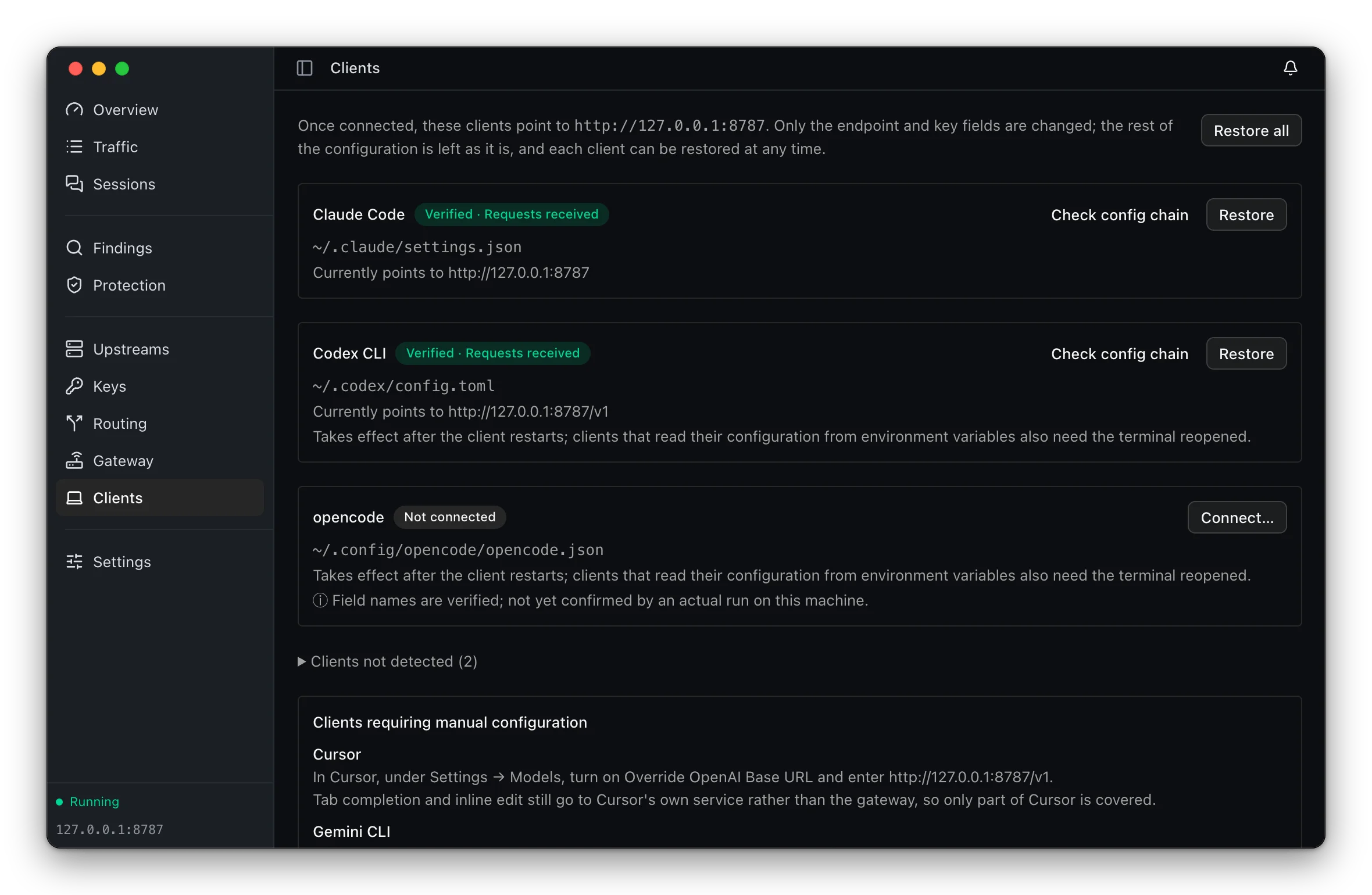
Claude Code, Codex CLI, opencode, Zed and Aider are pointed at the gateway from the app. The change is shown as a diff before anything is written, the original file is backed up, and it can be restored at any time.
Always visible
Fifty pixels in the menu bar
Today's cost and the output rate stay in the menu bar; for a subscription account, the quota used and the time until it resets take their place. On Windows the icon sits in the notification area: hovering over it shows today's tokens and cost, a left click opens the main window and a right click opens the menu. On Linux it sits in the system tray and opens the same menu. System notifications report a gateway that stopped forwarding, an upstream that became unreachable, a quota that ran out or a credential that stopped working.


Architecture
ThinkWatch Lite
A Tauri 2 shell with a React 19 window. Supervises Core and renders the menu bar, or the tray menu on Windows and Linux.
ThinkWatch Core
The gateway: routing, forwarding, and accounting. Lite contains none of this logic.
Upstreams
The Anthropic, OpenAI and Gemini APIs, and any configured providers and relays.
Install
One download, gateway included
The gateway ships inside the app; nothing else needs to be installed.
macOS 12 or later · Apple Silicon
$ brew install --cask thinkwatchproject/tap/thinkwatch-lite Or a disk image
Check it against its sha256 after downloading. The app is not signed by a registered Apple developer, so macOS quarantines a downloaded copy until the attribute is removed — or until Open Anyway is chosen in System Settings › Privacy & Security.
Download the disk image (Apple Silicon)Version 2026.9.16 · sha256
All releasesWindows 10 21H2 or later · x64 or ARM64
Windows installer
The installer sets the app up for all users in Program Files, so Windows asks for administrator permission. WebView2 is downloaded during installation if it is missing; Windows 11 already includes it.
Other architecture: x64 installer
Other architecture: ARM64 installer
Version 2026.9.16 · sha256 (x64) · sha256 (ARM64)
The installer is not code-signed. Running it brings up SmartScreen's full-screen warning, “Windows protected your PC”; choose More info, then Run anyway.
Ubuntu 22.04, Debian 12, Fedora 36 or later · x86_64 or aarch64
$ curl -fsSL https://github.com/ThinkWatchProject/ThinkWatch-Lite/releases/latest/download/install.sh | sh The script downloads the AppImage for the machine's architecture, checks its sha256, installs it as ~/Applications/ThinkWatch-Lite.AppImage and starts it.
Or the AppImage
Check it against its sha256, allow it to run (chmod +x, or “Allow executing file as program” in the file manager's Properties) and open it. Keep it in a folder the user can write to, such as ~/Applications, so that it can update itself. The first launch adds ThinkWatch Lite to the application menu.
Other architecture: x86_64 AppImage
Other architecture: aarch64 AppImage
Version 2026.9.16 · sha256 (x86_64) · sha256 (aarch64)
The AppImage needs fusermount3 from the fuse3 package, which most desktops include. The tray icon on GNOME needs the AppIndicator extension, which Ubuntu ships and Fedora does not; without it, launching the app again from the application menu brings the window back.
MIT License
Use, modification, and redistribution are permitted.